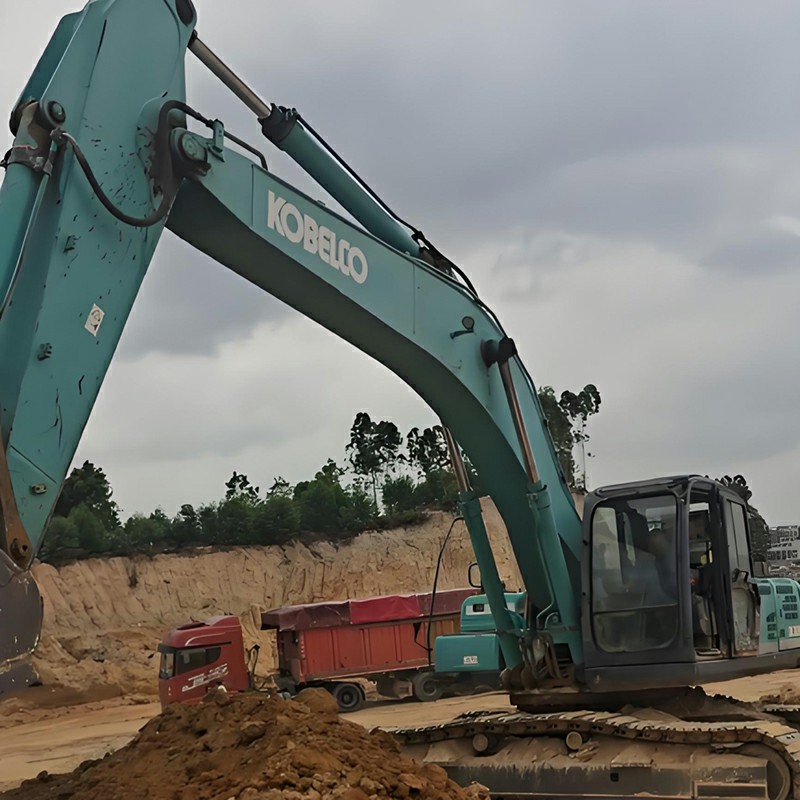
How to Fix Kobelco Excavator Wiper Not Working: 3 Common Scenarios & Solutions
When operating a Kobelco excavator, a sudden wiper failure can drastically reduce visibility and compromise on-site safety. Don't rush to replace the wiper motor immediately. In most cases, the wiper stops working due to simple electrical cut-offs, blown fuses, or hidden monitor settings.
In this 1-minute guide, we will break down the 3 most common failure scenarios on Kobelco machines (especially the popular -8 series) and how to fix them step-by-step.
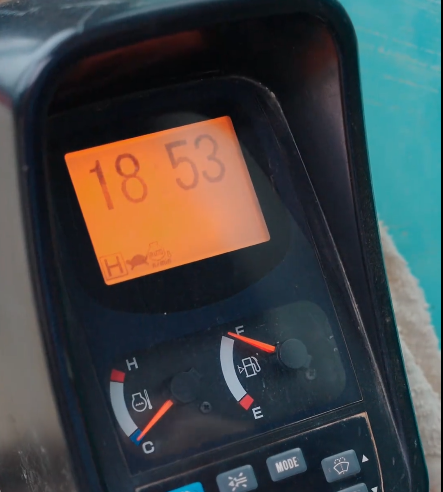
Scenario 1: No Icon Displays on Monitor When Pressing the Wiper Button
The Symptom: You sit in the cab, turn on the machine, and press the wiper button on the control panel, but absolutely no wiper icon shows up on the gauge cluster display screen.
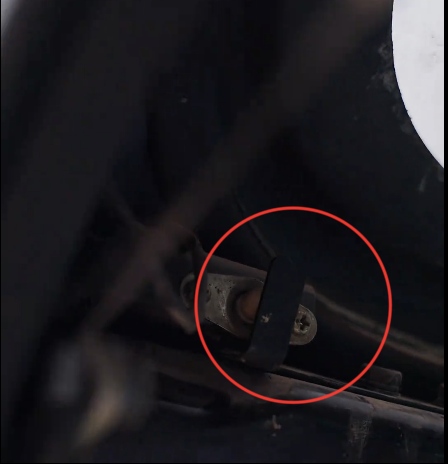
The Fix: Check the Front Window Safety Limit Switch
Kobelco excavators are equipped with an automatic safety cutoff system for the windshield. Look at the upper-left corner of the front glass frame. You will find a small safety limit switch designed to prevent the wiper from operating when the front window is flipped up.
Simply inspect this safety switch, check if it's stuck, push it open, and manipulate the small metal tab back into place. Once the tab triggers properly, your wiper circuit will reconnect.
Scenario 2: Wiper Icon Appears, But There is No "Clicking" Relay Sound
The Symptom: When you press and hold the wiper switch, the wiper icon successfully pops up on the display screen. However, you do not hear any "clicking" or engaging sound coming from the relay inside the fuse box.
The Fix: Inspect the Fuse Box and Replace the Wiper Fuse
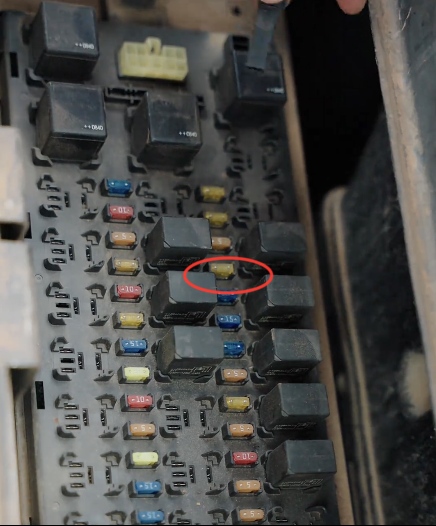
This clearly indicates a blown fuse or circuit interruption between the cluster and the motor. Locate your main fuse block box. You need to inspect the fuses step-by-step to see if any have melted.
Key Target: Focus specifically on the 4th fuse row, and look for the specific "23" labeled fuse slot. This single fuse directly controls the wiper system power supply. If it's burnt, swap it out with a new one of the exact same amperage.
Scenario 3: Wiper Icon Appears, But the Relay Remains Completely Silent
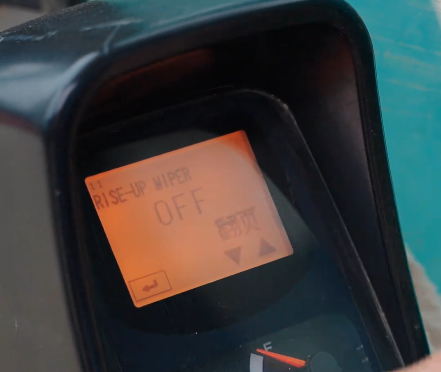
The Symptom: The icon shows up, but the relay remains completely silent and unresponsive, and the physical safety switch and fuses check out perfectly normal. This points to a software-level deactivation in the ECU.
The Fix: Enter After-Sales Maintenance Mode via the Cluster Monitor
You can easily reset and reactivate this function manually by navigating the monitor using the following step-by-step sequence:
Turn the ignition key switch to the OFF position.
Press and HOLD down the Buzzer Stop on the display cluster panel.
While holding the buzzer button, turn the ignition key back to the ON position.
Quickly press the confirmation/return key 3 times consecutively.
You will successfully enter the "Adjusting Mode 1" (Factory Mode) screen.
Scroll through the pages to find the option titled "RISE-UP WIPER".
You will likely see it currently toggled to "OFF". Press the button to switch it back to "ON".
Once turned ON, exit the menu, and your excavator wiper will instantly spring back to life!
Quick Diagnostic Checklist
| Scenario | Root Cause | Action Plan |
|---|---|---|
| No Icon on Screen | Windshield Safety Limit Switch open/stuck | Adjust and press in the small metal tab on the switch |
| Icon Shows, No Relay Sound | Blown circuit fuse | Replace the 4th row (Slot 23) fuse in the fuse box |
| Silent Relay & Fuses OK | "RISE-UP WIPER" set to OFF in ECU system | Enter After-Sales Mode 1 via buttons; toggle to ON |